

TobenONE MacBook Docking Station Dual 4K@60Hz Monitor, 16-in-2 USB C Docking Station Stand with 2.5Gbps Ethernet,100W GaN Power Supply, 2 HDMI&DP, 5 USB Ports
$179.99




Price: $179.99
(as of Jun 10, 2026 08:04:56 UTC – Details)
Product description


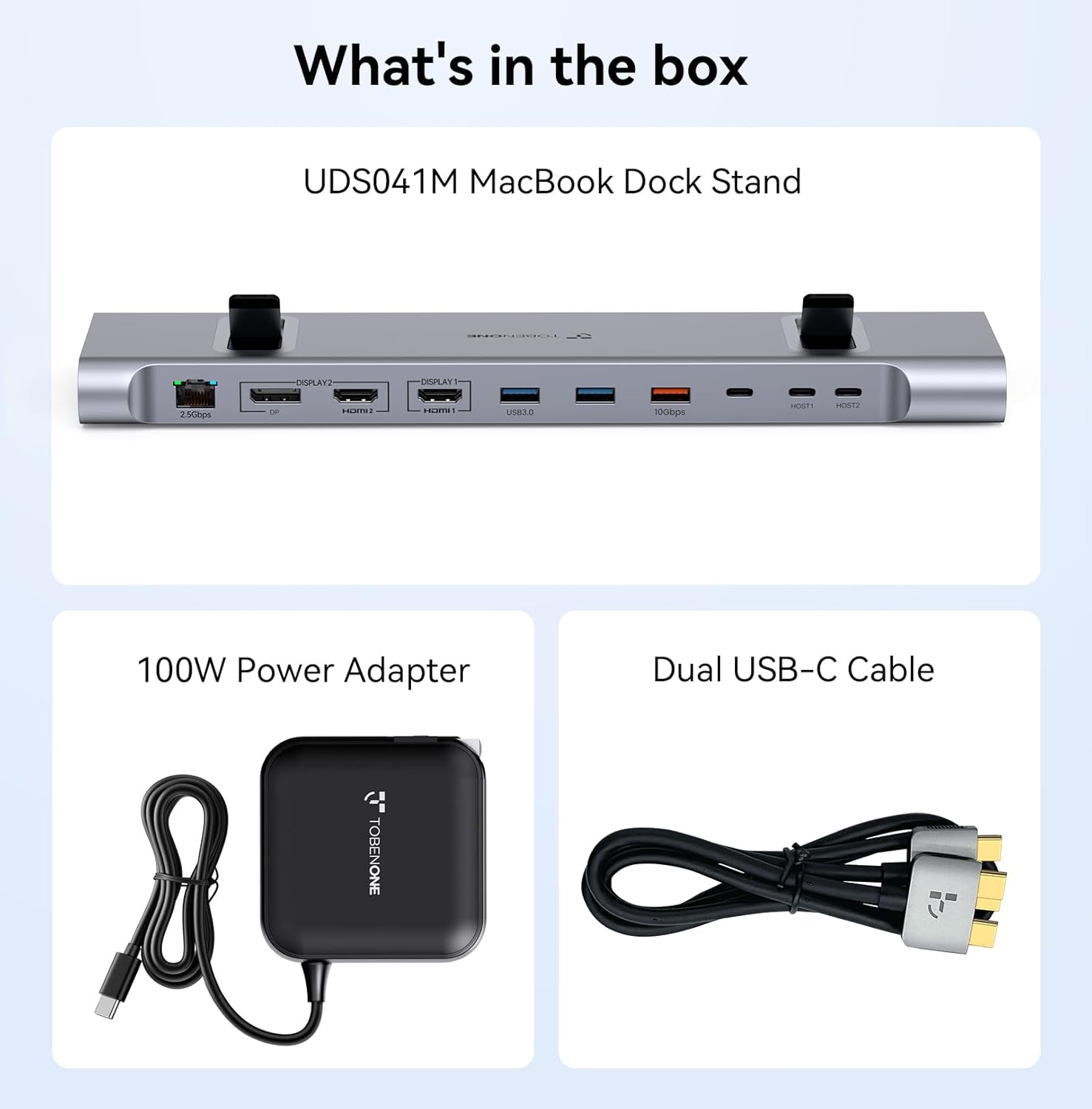
1 MacBook docking station
2 16-in-2
3 What in the box


1 Multiple USB Ports
2 100W Power Supply


1 2500Mbps Ethernet
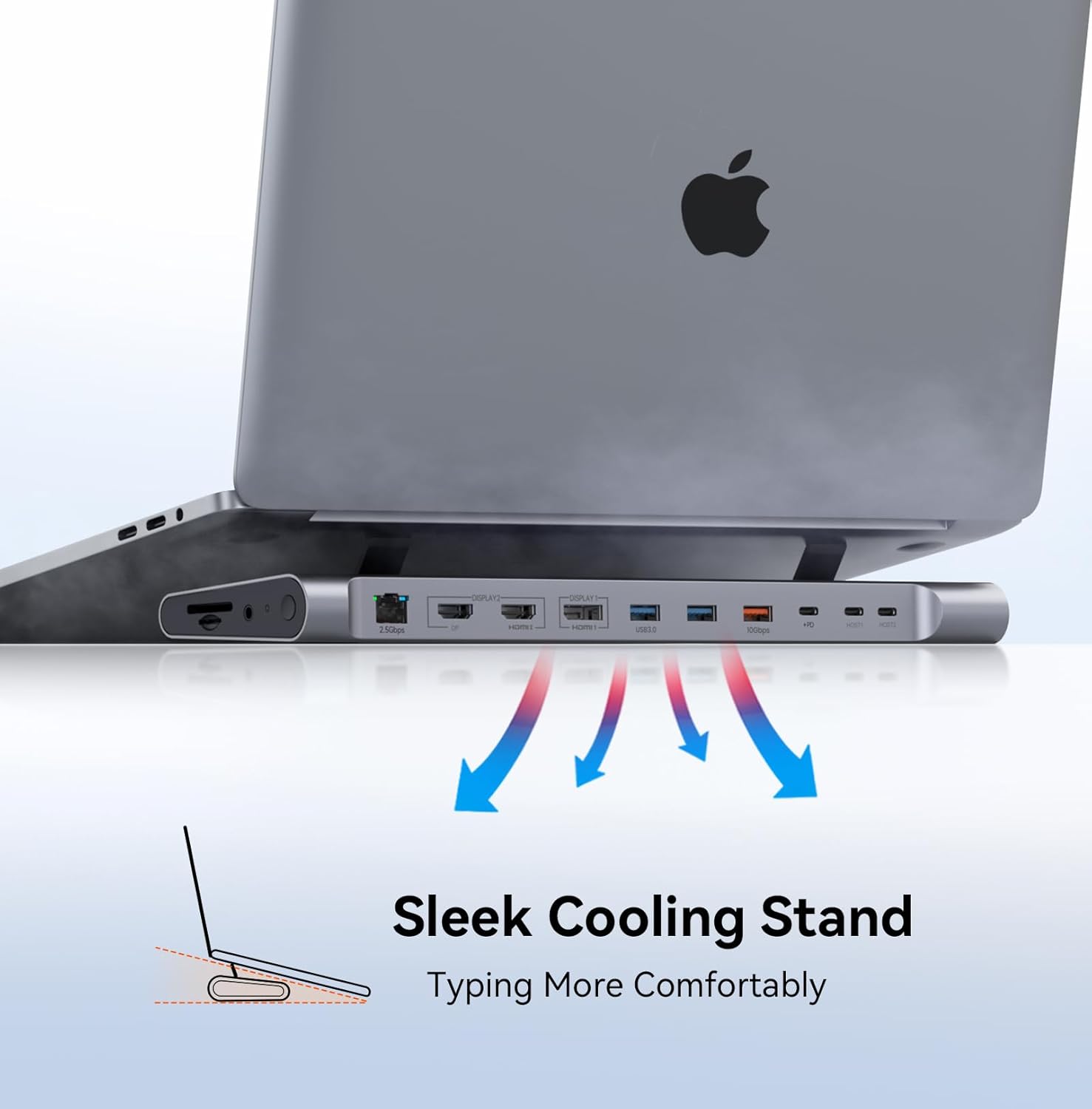
2 Stand Design
3 Security Lock Port

All Compatible MacBook Models: Double-Check Your MacBook Before Purchase
Support Dual Monitors MacBook Pro (16-inch, 2024) – M4, M4 Pro, or M4 Max chip MacBook Pro (14-inch, 2024) – M4, M4 Pro, or M4 Max chip Support Dual Monitors MacBook Pro (16-inch, 2023) – Apple M3 Pro or M3 Max chip MacBook Pro (14-inch, 2023) – Apple M3 Pro or M3 Max chip Support Dual Monitors MacBook Pro (16-inch, 2023) – Apple M2 Max chip MacBook Pro (14-inch, 2023) – Apple M2 Pro chip Support Dual Monitors MacBook Pro (16-inch, 2021) – Apple M1 Max chip MacBook Pro (14-inch, 2021) – Apple M1 Pro chip Support Dual Monitors MacBook Pro (13-inch, 2020) – Four Thunderbolt 3 ports MacBook Pro (13-inch, 2020) – Two Thunderbolt 3 ports Support Dual Monitors MacBook Pro (16-inch, 2019) MacBook Pro (15-inch, 2019) MacBook Pro (13-inch, 2019) – Four Thunderbolt 3 ports MacBook Pro (13-inch, 2019) – Two Thunderbolt 3 ports Support Dual Monitors MacBook Pro (15-inch, 2018) MacBook Pro (13-inch, 2018) – Four Thunderbolt 3 ports Support Dual Monitors MacBook Pro (15-inch, 2017) MacBook Pro (13-inch, 2017) – Four Thunderbolt 3 ports MacBook Pro (13-inch, 2017) – Two Thunderbolt 3 ports Support Dual Monitors MacBook Pro (15-inch, 2016) MacBook Pro (13-inch, 2016) – Four Thunderbolt 3 ports MacBook Pro (13-inch, 2016) – Two Thunderbolt 3 ports Support Dual Monitors MacBook Air (Retina, 13-inch, 2020) MacBook Air (Retina, 13-inch, 2019) MacBook Air (Retina, 13-inch, 2018) MacBook Air 13” and 15” M4 chip Support One Monitor MacBook Pro (14-inch, M3, 2023) MacBook Pro (13-inch, M2, 2022) MacBook Pro (13-inch, M1, 2020) Support One Monitor MacBook Air (15-inch, M3, 2024) MacBook Air (13-inch, M3, 2024) MacBook Air (15-inch, M2, 2023) MacBook Air (M2, 2022) MacBook Air (M1, 2020) NOTE If your laptop model is not listed, it means your laptop is not compatible with our dock.
How to set up dual monitors for MacBook with this Apple docking station?
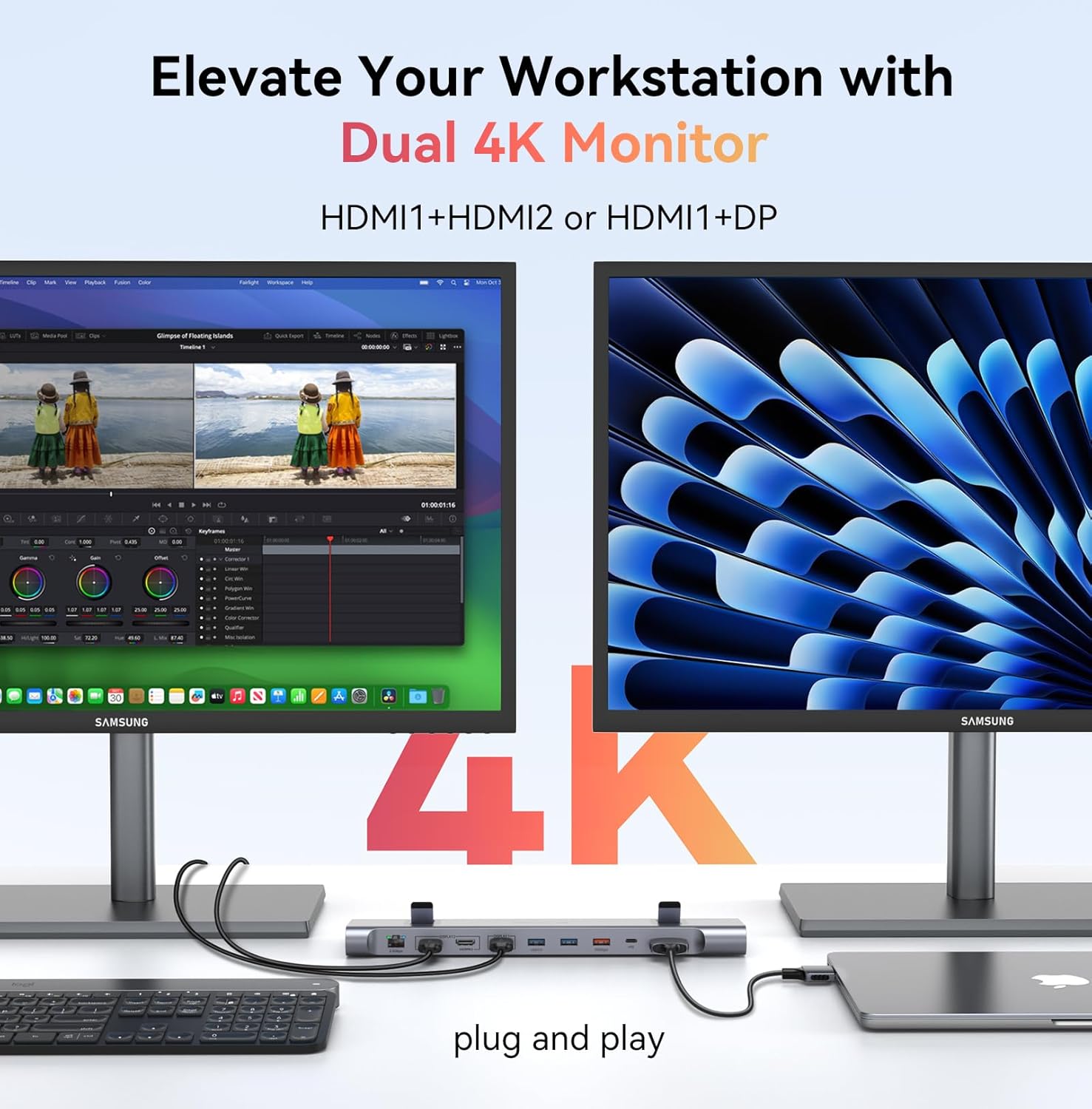
1>Ensure laptop is 2016-2024 MacBook(Note: macOS with M1/M2/M3 chip only can extend 1 monitor)
2>Attach the power supply to the dock’s PD port, connect the dock and Mac via the dual USB C cable
3>Add what you want to add, such as monitor, mouse, etc
Do I need to install software or drivers in order to use the UDS041M?
No software or driver installation is necessary in order to use the UDS041M.
Product Usage Guide: Key Information on Video, Cable, Display, Power Cord Length
This product does not support Thunderbolt video transmission. It adopts a unique dual-pronged cable design. When worked with M1/M2/M3 MacBook, it only supports a single display screen.The power cord equipped with the product is about 3 feet.
What should I do when the screen flickering or the dock stop working?
Please make sure all the cables are stably connected. You can try disconnecting all the cables and then reconnecting them to check if it works. If the device still doesn’t function or there is screen flickering, please reach out to us.
Why can’t the resolution be extended to 4K?
Please ensure that your laptop, the connecting cable, and the monitor all support 4K. Otherwise, a 4K resolution cannot be achieved.
Perfect Compatibility with Mac Laptops-This docking station for MacBook Pro and MacBook Air is a comprehensive connectivity hub that is used as a workspace expansion tool, specifically designed for seamless compatibility with all MacBook models, enhancing connectivity and functionality. Connect effortlessly to boost your productivity. Note: Only supports one monitor extension for MacBooks with regular M1, M2, and M3 chips. MacBook with M4/M5 chip can extend dual monitor.Otherwise, please make sure the connections are correct
Dual 4K@60Hz Display Support-Experience stunning visuals with dual 4K@60Hz monitors via two HDMI ports or an HDMI & DP combination. Whether for design, video editing, or multitasking, you’ll elevate both productivity and viewing pleasure.It serves as an excellent tool for a diverse range of scenarios, including Business presentations, Video conferences, Trade shows and exhibitions, Training workshops, Product demonstrations, Corporate events, Remote work sessions, and Creative showcases
Ultra-Fast 2.5Gbps Network Port-Equipped with a 2.5Gbps network port, this mac docking station dual monitor provides ethernet speeds 2.5x faster than standard gigabit connections. Ideal for professionals, remote workers, students, academics and home office users, meeting their needs for stable network connectivity in work
Versatile Multi-Port Design-Featuring five USB ports, an SD/micro SD card slot, and an audio port, allowing you to connect all peripherals and storage devices simultaneously without any hassle. Say goodbye to connectivity issues and keep your workspace organized. This macbook docking station dual monitor stands out as a must-have for professionals and tech enthusiasts.The various ports are well-spaced, enabling convenient data transfer, media card access and audio connectivity, while streamlining overall workspace organization for a seamless user experience
Powerful 100W Power Delivery-The included 100W power adapter ensures your MacBook and connected devices remain charged and operational, keeping it stable even under heavy loads, eliminating battery anxiety. Work efficiently without worrying about power interruptions.It’s seamlessly used on desktop workstations, standing desks, home office setups, conference room tables, co-working spaces, and various desk configurations
User Reviews
Be the first to review “TobenONE MacBook Docking Station Dual 4K@60Hz Monitor, 16-in-2 USB C Docking Station Stand with 2.5Gbps Ethernet,100W GaN Power Supply, 2 HDMI&DP, 5 USB Ports”
Related Products



$179.99
There are no reviews yet.